Why Event Organizers Choose iRollCall
Traditional event check-in creates bottlenecks. Attendees wait in line, staff scan badges or check clipboards, and you don't see attendance data until hours after the event ends. iRollCall transforms this experience with instant, contactless check-in that gives you real-time visibility into who's present—without the lines, confusion, or manual data entry.
How Event Attendance Tracking Works
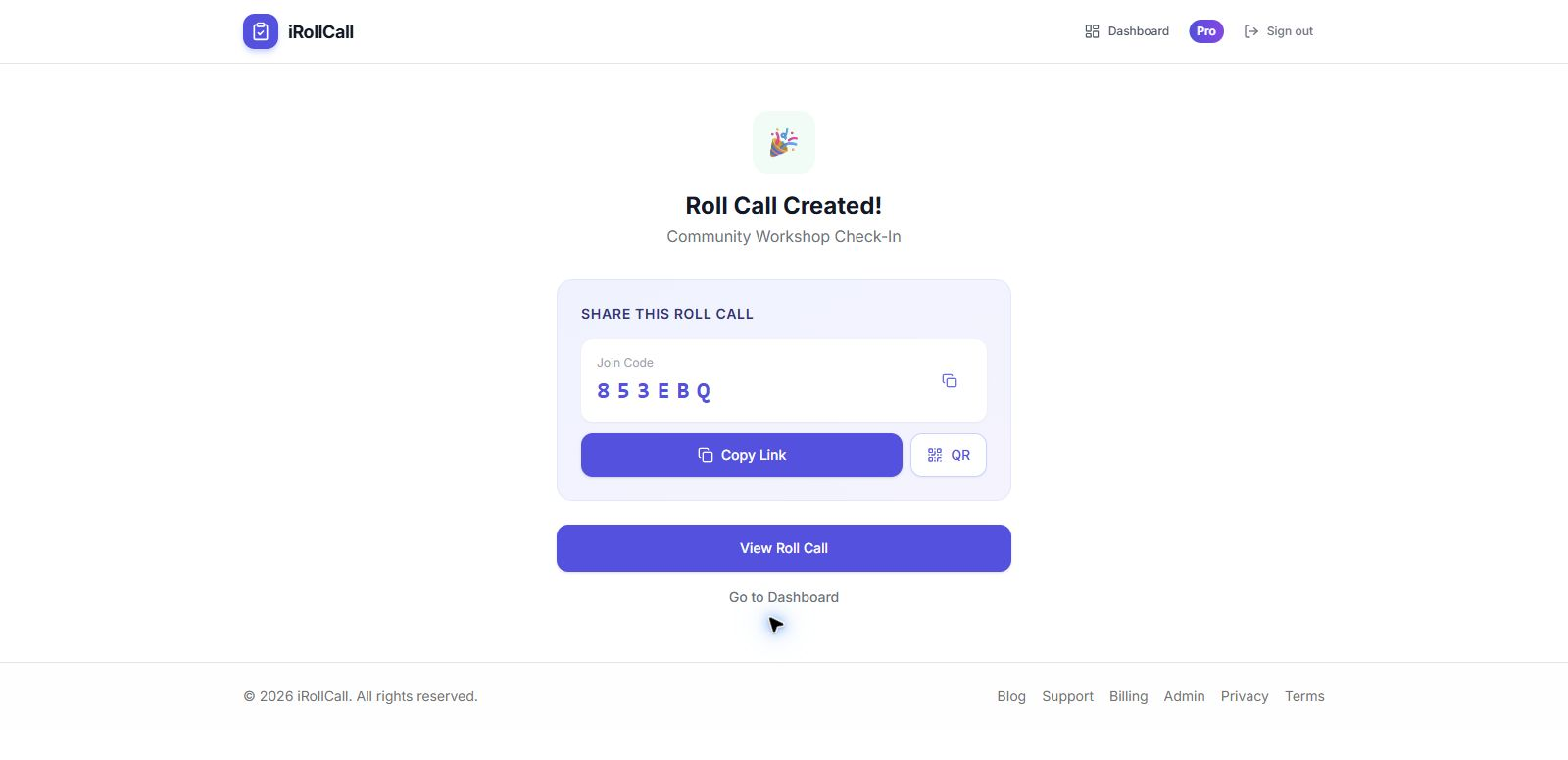
Create Your Event
Set up your event in seconds. Add title, date, location, and any custom fields you need.
Share the QR Code
Display QR codes at entrances, email them to registrants, or add them to your event app.
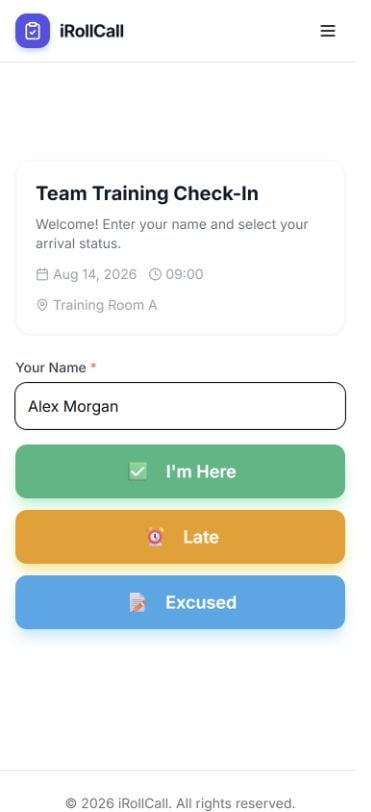
Attendees Self Check-In
Participants scan to check in instantly—no registration desk required.
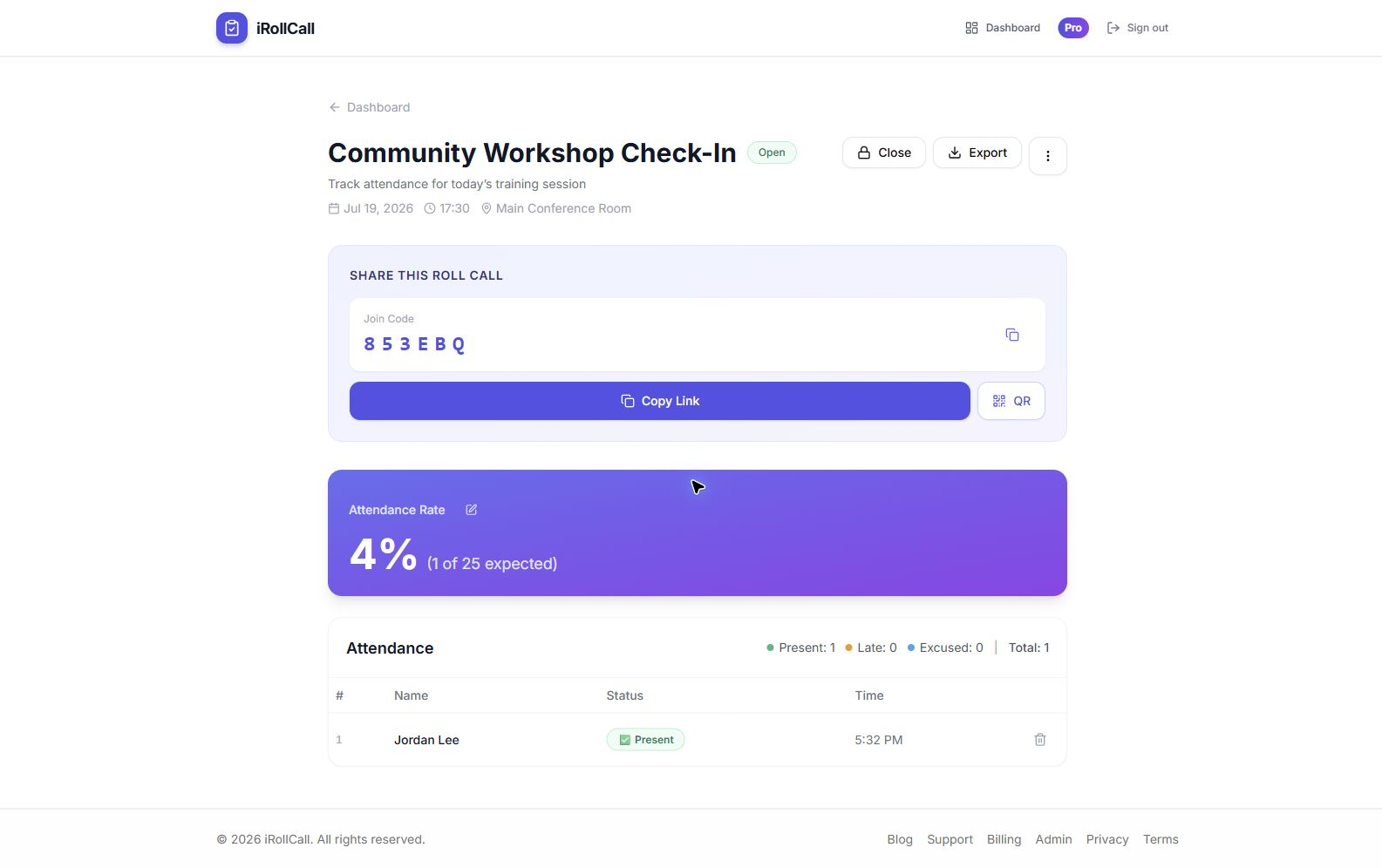
Monitor Live Data
Watch attendance populate in real-time. Download CSV, or export directly to Google Sheets with Pro.
Perfect for Every Type of Event
Conferences and Summits
Multi-day conferences with hundreds or thousands of attendees need fast, reliable check-in. Place QR codes at session entrances to track which talks are most popular. Measure attendance by day, session, or track. Generate sponsor reports showing total reach and engagement.
Workshops and Training Sessions
Prove attendance for continuing education credits, compliance training, or professional development. iRollCall timestamps every check-in and lets you export attendance records to CSV for your training or compliance documentation.
Corporate All-Hands and Town Halls
Track attendance for company-wide meetings without interrupting the flow. Share the join link in your calendar invite or Slack channel. Attendees check in from their desks (remote) or phones (in-person), and you have instant visibility into participation.
Networking Events and Meetups
Build your community database without forcing people through a registration process. Share the QR code at the entrance. Attendees check in as they arrive, and you capture names and contact information for follow-up.
Webinars and Virtual Events
Share the check-in link in your webinar chat or email confirmation. Attendees click to mark their presence—far more reliable than hoping they stay on the Zoom call. Track who actually showed up versus who just registered.
Key Features for Event Professionals
Unlimited Attendees (Pro)
Free plans support 50 check-ins. Pro accounts handle unlimited attendees for large-scale events.
Real-Time Analytics
See who's checked in, attendance rates, and peak arrival times—while the event is happening.
CSV & Google Sheets Export
Download timestamped CSV records on any plan. Pro sends the list directly to a new Google Sheet.
Auto-Close Timing
Set roll calls to auto-close at session end, preventing after-the-fact check-ins.
Solving Common Event Check-In Problems
Problem: Long Lines at Registration
Solution: Let attendees use self-service QR code check-in as they arrive. This reduces manual name lookup and gives staff a live attendance list without retyping a paper sign-in sheet.
Problem: Inaccurate Headcounts
Solution: Traditional sign-in sheets are notoriously unreliable. People forget to sign, write illegibly, or skip pages. iRollCall captures every check-in with a timestamp and unique identifier. Your data is accurate and auditable.
Problem: No Real-Time Visibility
Solution: See attendance data as it happens. Know if you need to open overflow seating, delay the start, or send reminder texts. Make informed decisions in real-time instead of discovering attendance issues after it's too late to act.
Problem: Post-Event Data Entry
Solution: Stop spending hours after the event typing names from paper lists into spreadsheets. iRollCall automatically captures and organizes all data. Export to CSV and import directly into your systems.
Integration and Workflow
While iRollCall works perfectly as a standalone tool, many event organizers integrate it into their existing workflows:
- Email confirmations: Include the QR code or check-in link in your event confirmation emails.
- Event apps: Add the check-in link to your mobile event app.
- Signage: Print QR codes on posters at event entrances.
- CRM integration: Export attendance data and import into Salesforce, HubSpot, or your CRM.
- Follow-up: Use attendance lists for targeted post-event outreach and surveys.
Success Metrics to Track
With accurate, real-time data, you can measure event success more effectively:
- Attendance rate: Registered vs. actual attendees
- Session popularity: Which sessions attracted the most people
- Drop-off patterns: When people arrive and when they leave multi-day events
- ROI calculation: Cost per attendee for budgeting and sponsor reports
- Engagement trends: Compare attendance across multiple events to spot growth or decline
Real Event Organizer Results
"We run a 3-day tech conference with 800+ attendees. Before iRollCall, our registration desk was chaos—long lines, frustrated attendees, and incomplete data. Now we place QR codes at every session entrance. Check-in is instant, and we know exactly how many people attended each talk. Sponsors love the detailed reports."
— Marcus T., Conference Director
"We host monthly networking meetups and struggled to track RSVPs vs. actual attendance. With iRollCall, we share a QR code at the entrance, and people check in as they arrive. We finally have accurate data on who shows up, which helps us plan food, seating, and venue size for future events."
— Jennifer L., Community Manager
Pricing for Events
Our free plan supports up to 50 check-ins per event and includes CSV export—great for smaller workshops and meetups. For larger events and organizations needing unlimited attendees, saved-roster check-off, role-based sharing with other Pro organizers, recurring schedules, advanced analytics, and one-click Google Sheets export, our Pro plan is just $12/month.
Need volume licensing or custom features? Contact us for enterprise pricing and white-label options.
Ready to Modernize Your Event Check-In?
Create a free roll call, share the QR code, and see the check-in experience before your next event.
Frequently Asked Questions
How many attendees can check in per event?
Free plans support 50 check-ins per event. Pro plans have unlimited check-ins, making them ideal for conferences and large events.
Can I create multiple events or sessions?
Yes. Create separate roll calls for each session, workshop, or day. Track attendance separately for each and generate individual reports.
Do attendees need to download an app?
No. Attendees scan the QR code with their phone camera and check in through their web browser. No app downloads or account creation required.
Can I remove iRollCall branding from the check-in experience?
Yes. Free participant pages display iRollCall branding, while Pro accounts remove it from the check-in page.
What data can I export?
Download complete attendance lists with names, statuses, timestamps, and notes as CSV on any plan. Pro organizers can also export the record directly to a new Google Sheet with one click.
Can I prevent duplicate check-ins?
Yes. iRollCall uses device fingerprinting to prevent the same person from checking in multiple times. You can also manually manage attendance from your organizer dashboard.