Free and Pro
Download CSV
Download the attendance list as a CSV file, then open or import it in Google Sheets, Excel, or another spreadsheet tool.
- Included on the Free plan
- Portable file you control
- Works with Google Sheets and Excel
Collect check-ins with iRollCall, review the live attendance list, and move the finished record into a spreadsheet. Download CSV on Free, or create a new Google Sheet directly with Pro.
No credit card required. Participants do not need accounts.
Real iRollCall reporting workflow
The organizer view keeps names, statuses, check-in times, check-out times, and attendance duration together before you export.
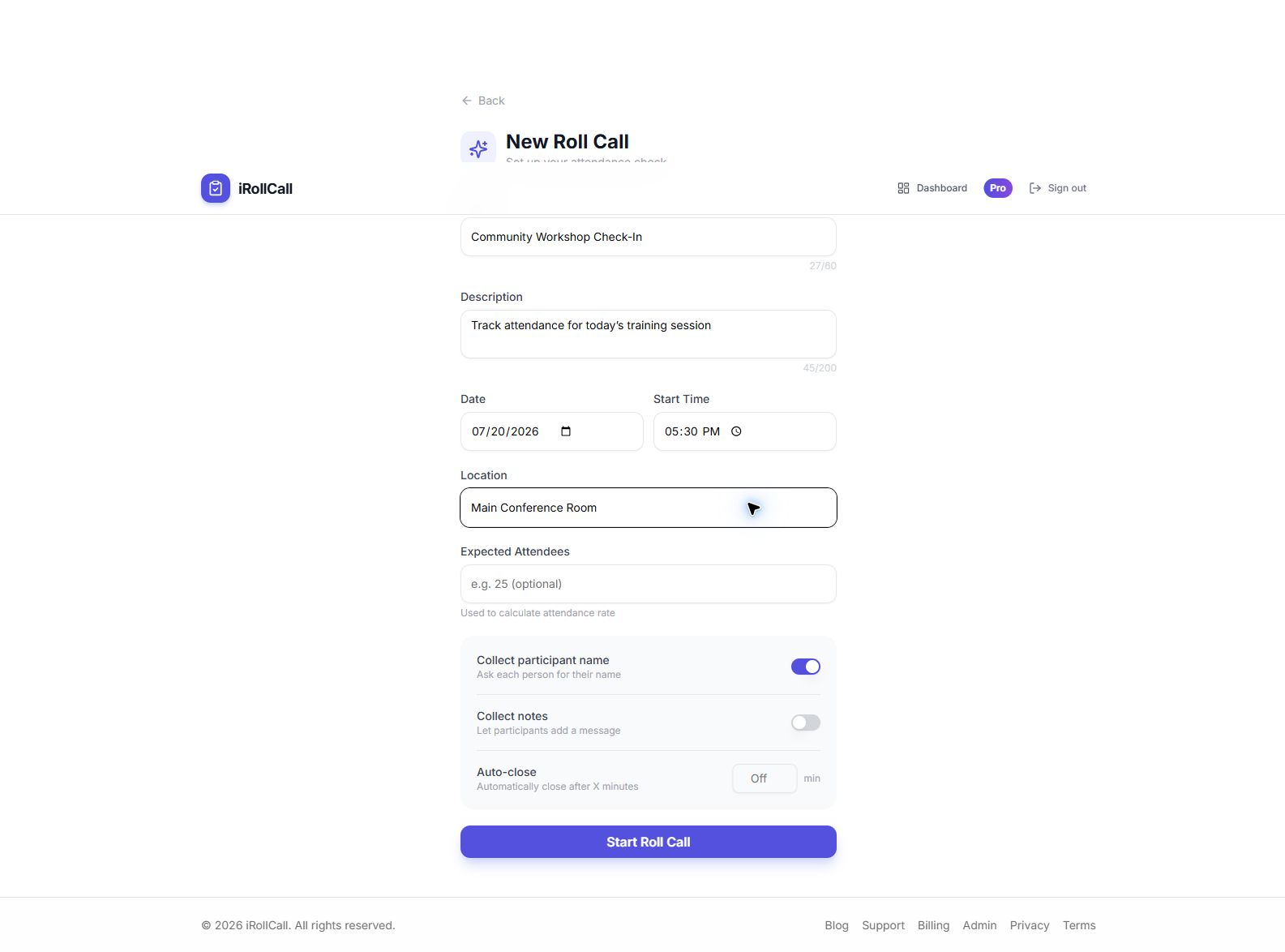
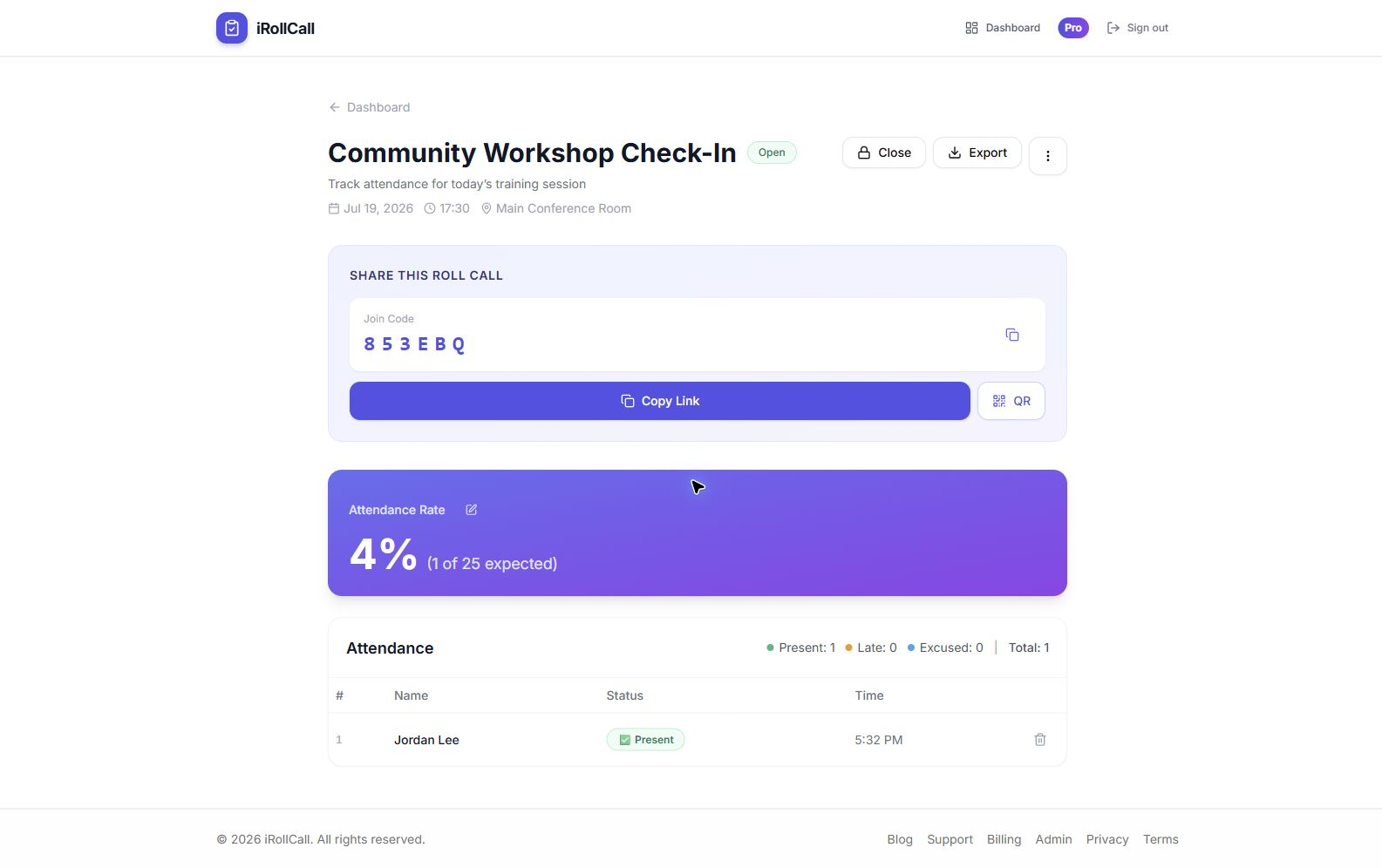
Choose the workflow that matches your plan. Both start with the same timestamped attendance record in iRollCall.
Free and Pro
Download the attendance list as a CSV file, then open or import it in Google Sheets, Excel, or another spreadsheet tool.
Pro
Connect your Google account once, choose Export on a roll call, and let iRollCall create a new sheet containing the current attendance record.
The export is designed for follow-up, reporting, and recordkeeping without copying the participant list by hand.
Send participants the link, six-character code, or QR code.
Review names, statuses, check-in and check-out times, and attendance duration from the organizer view.
Choose CSV on any plan, or Google Sheets when your organizer account is Pro.
Filter, share, chart, or archive the exported attendance list in your preferred spreadsheet workflow.
Yes. Every organizer can download a CSV attendance file and open it in Google Sheets. Pro organizers can export directly from iRollCall to a new Google Sheet with one click.
The Free plan includes CSV download, which can be imported into Google Sheets. Direct one-click export to a new Google Sheet is a Pro feature.
The export includes the roll call, date, participant name, attendance status, check-in time, check-out time, attendance duration, and any recorded note.
No. Each direct export creates a new Google Sheet containing the attendance data available when you export. This keeps the workflow predictable and avoids changing an existing sheet unexpectedly.
Create a free roll call, let participants check in without accounts, and export the finished record when you are ready.