Why Training Teams Use iRollCall
Compliance and safety training only counts if you can prove it happened. A sign-in sheet works until someone forgets to sign it, writes illegibly, or the sheet itself goes missing before it makes it into a file. And retyping names into a spreadsheet after every session isn't a good use of anyone's time.
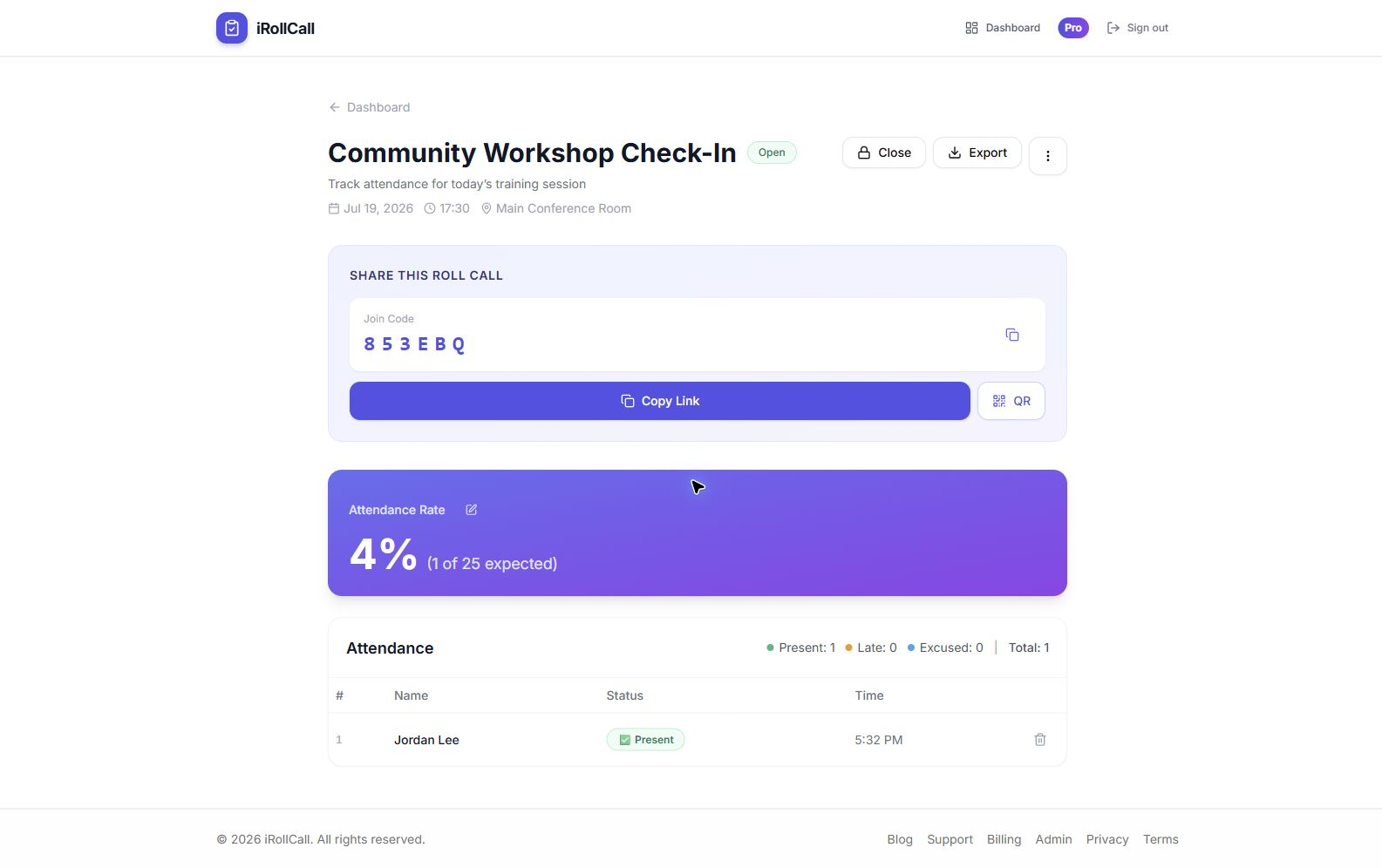
iRollCall replaces the sign-in sheet with a QR code attendees scan on their own phone. Every check-in is timestamped automatically, and the full record exports as a CSV whenever you need it — for HR, an audit, or a certifying body.
Use Cases for Training & Compliance
Compliance & Safety Training
Get a timestamped record of who attended required training, ready to hand off for audits.
New Hire Onboarding
Track attendance across a multi-day or multi-session onboarding program without a manual checklist.
Certification & CEU Courses
Confirm attendance for courses tied to continuing education or professional certification requirements.
Workshops & Skill-Building Sessions
Fast self-check-in for one-off internal workshops and lunch-and-learns.
Multi-Session Training Programs
Use a recurring schedule so each session in a series generates its own attendance record automatically.
Contractor & Vendor Training
Track attendance for people outside your regular employee roster without adding them as users anywhere.
How Session Check-In Works
Create a Roll Call for the Session
Set up a single session in under a minute, or a recurring schedule for a multi-part training program.
Share the QR Code or Link
Display it at the room entrance, in a training slide, or share the link in your calendar invite.
Attendees Check In
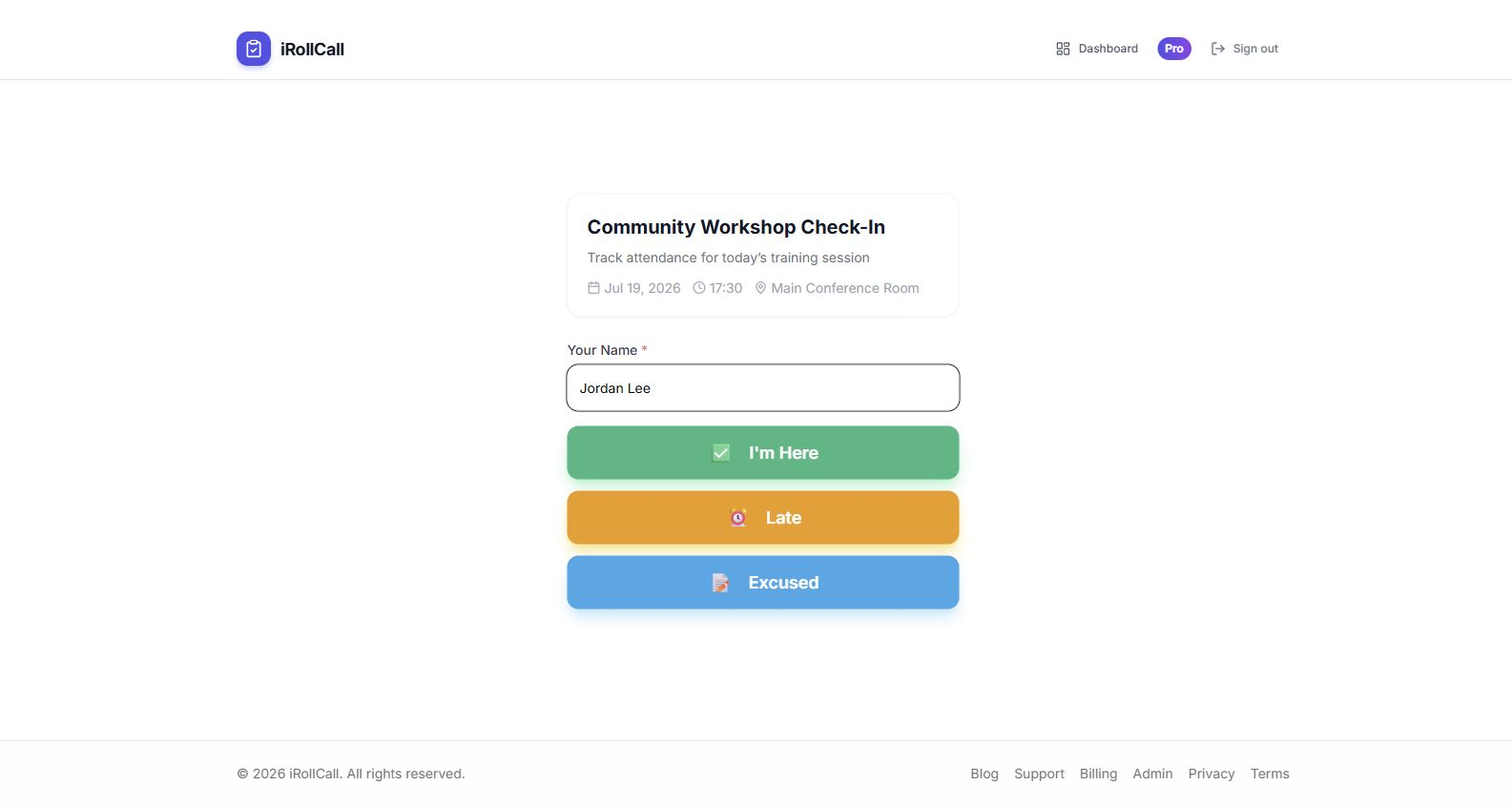
They enter their name and tap 'Present' — no login, no app, no delay at the start of the session.
Export the Record
Download a timestamped CSV for HR, your LMS, or your compliance file — no manual transcription.
What iRollCall Does — and Doesn't — Do
To be clear about what you're getting: iRollCall records who checked in and when, and lets you export that as a CSV. It does not issue certificates, credentials, or CEU credit on its own, and it doesn't verify identity beyond the name someone types in. For most internal training and attendance-proof use cases, a clean timestamped record is exactly what's needed — just plan accordingly if your program requires a formal certificate as well.
Frequently Asked Questions
Does iRollCall provide an audit trail for compliance training?
Every check-in is timestamped and stored with the roll call it belongs to. You can export the full record as a CSV at any time for your HR system, LMS, or compliance file. iRollCall does not generate certificates or credentials — it records who was present and when.
Do employees need to install an app or create an account?
No. They scan a QR code or use a join link and check in with their name in any web browser — no app, no password, no account required for the person checking in.
Can we track attendance across a multi-session training program?
Yes, on the Pro plan. Set a recurring schedule and iRollCall generates a new roll call for each session automatically, so you have a separate, exportable record for every date.
Can contractors or vendors check in the same way employees do?
Yes. Anyone with the link or QR code can check in — there's no need to add contractors as users in any internal system.
How many attendees can check in per session for free?
Free accounts support up to 50 check-ins per session. Pro accounts ($12/month) support unlimited check-ins, which fits larger all-hands training or company-wide compliance sessions.
A Real Record, Every Session.
Start tracking training attendance in minutes — no tech expertise required.