What is QR Code Attendance?
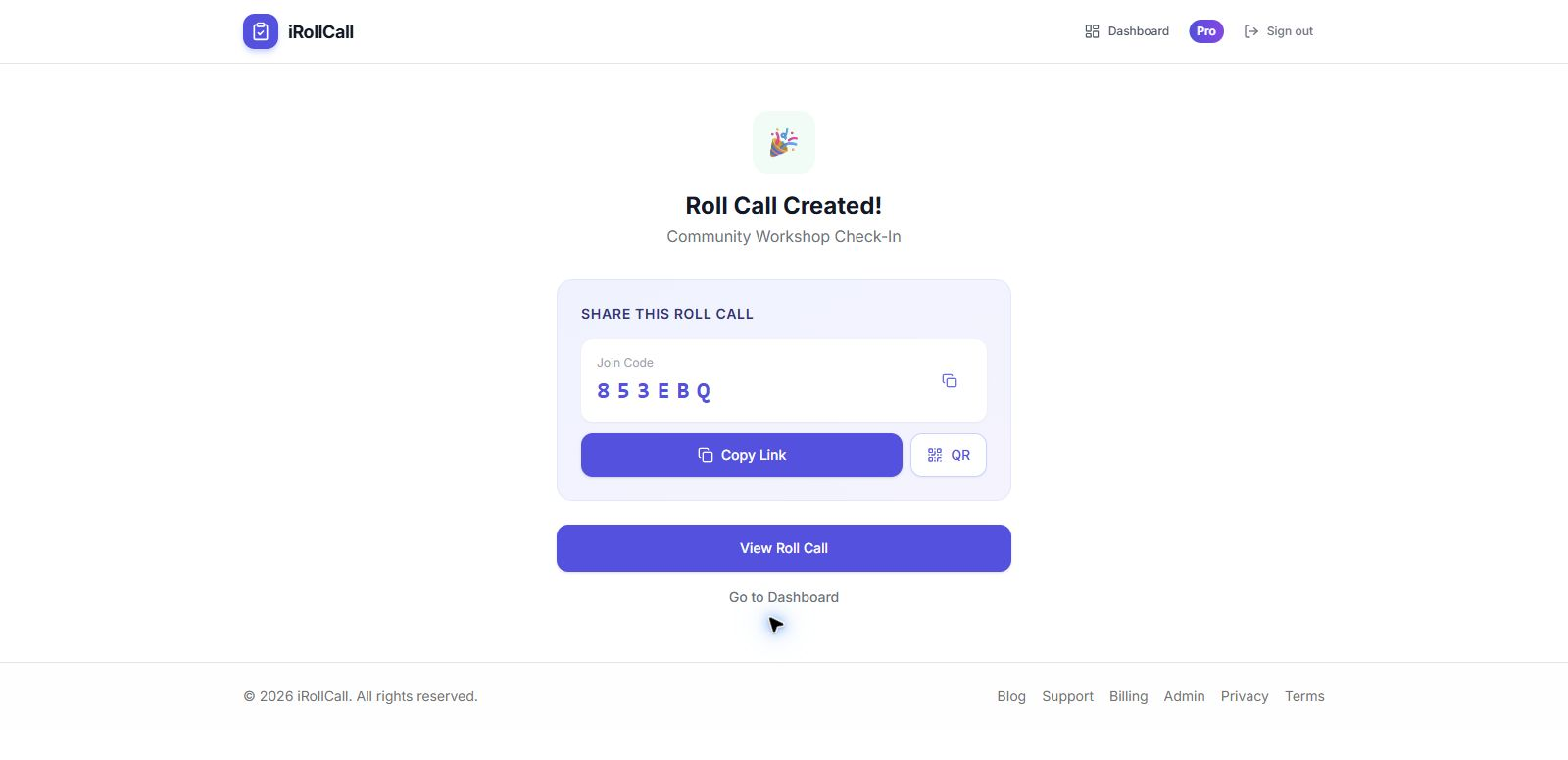
QR code attendance tracking is a modern, contactless method of recording attendance that eliminates the need for paper sign-in sheets, manual roll calls, or complex attendance software. With iRollCall's QR code attendance system, you simply generate a unique QR code for your event, class, or meeting, and participants scan it with their smartphone camera to check in instantly.
How Does QR Code Attendance Work?
Our QR code attendance system is designed for maximum simplicity:
- Create Your Roll Call: Set up your attendance session in under 10 seconds. Add a title, date, and any optional details.
- Generate QR Code: iRollCall automatically creates a unique QR code and shareable link for your roll call.
- Display the Code: Show the QR code on a screen, print it out, or share it digitally via email or messaging apps.
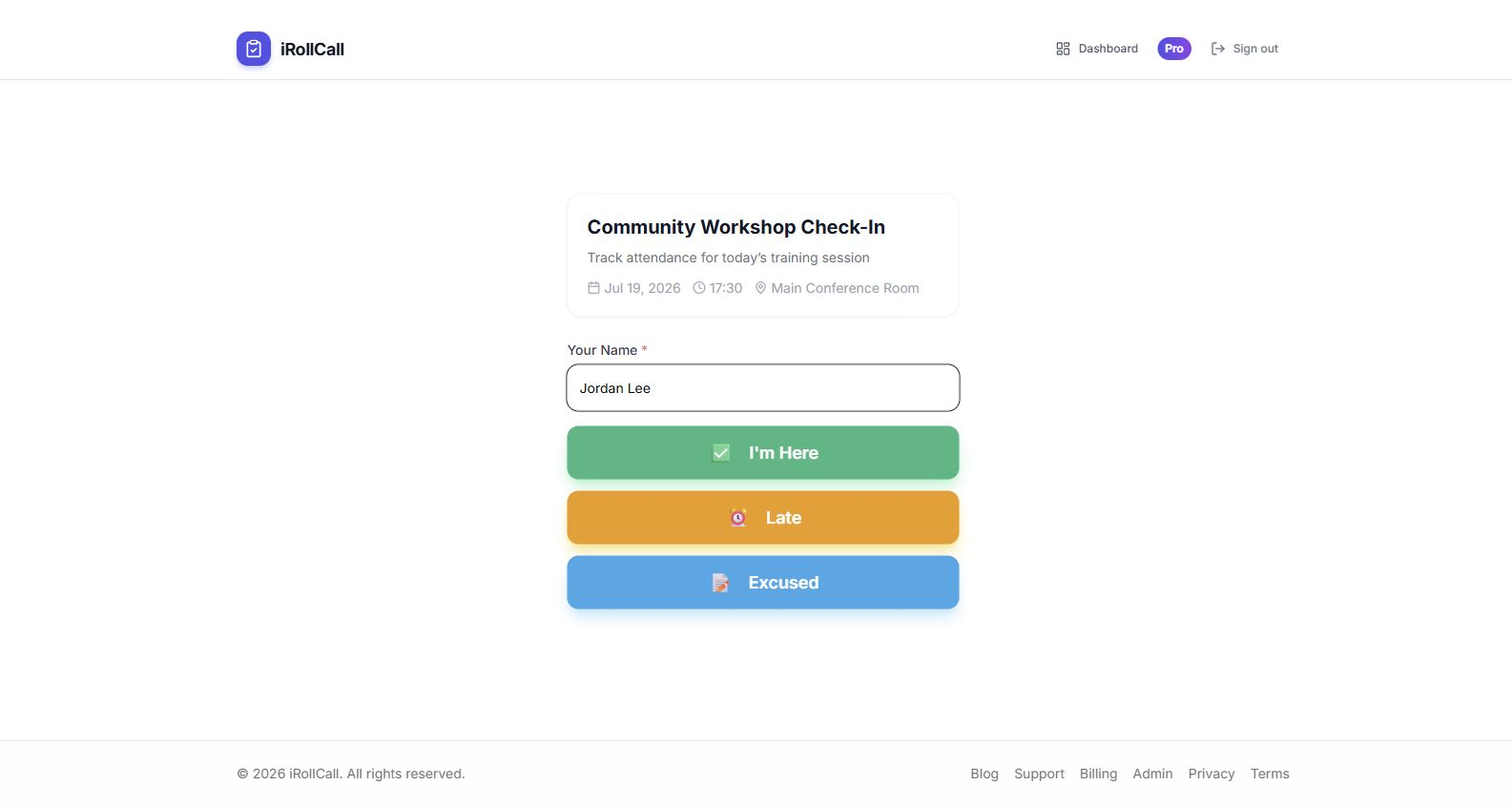
- Participants Scan: Attendees scan the code with their phone camera—no app download required.
- Instant Check-In: Names are recorded in real-time as people scan and check in.
- View Results: Track attendance live as it happens, or review the complete list later.
Benefits of QR Code Attendance Tracking
No App Downloads Required
Unlike other attendance solutions that require participants to download an app, create an account, or remember login credentials, iRollCall works directly in the browser. Anyone with a smartphone can scan the QR code and check in immediately—no barriers, no friction, no technical support needed.
Faster Than Traditional Methods
Traditional roll call can take 5-10 minutes in a classroom of 30 students. With QR code attendance, the entire class can check in within 60 seconds. For events with hundreds of attendees, this time savings is even more dramatic—no more long lines at sign-in tables.
Contactless and Hygienic
In today's health-conscious environment, QR code attendance eliminates the need for shared pens, clipboards, or tablets. Each person uses their own device, maintaining hygiene standards while still capturing accurate attendance data.
Real-Time Data
See who's present the moment they check in. No more waiting until after the event to compile attendance records. This real-time visibility helps you quickly identify missing participants and make timely decisions.
Automatic Record Keeping
Every check-in is automatically timestamped and stored securely. Export attendance records as CSV files for your own systems, generate reports, and maintain a complete history of all your roll calls.
Use Cases for QR Code Attendance
Classrooms and Universities
Teachers and professors can display a QR code at the start of class. Students scan to mark their attendance without interrupting the lesson. Perfect for large lecture halls where verbal roll call is impractical.
Corporate Events and Conferences
Place QR codes at session entrances. Attendees self-check-in as they enter, giving you accurate session attendance data and eliminating registration desk bottlenecks.
Training and Workshops
Track attendance for mandatory training sessions or continuing education credits. Generate compliance reports showing who attended and when they checked in.
Community Meetings
Record attendance for volunteer events, club meetings, or community gatherings. Share the QR code via social media or email to make check-in easy for everyone.
Why Choose iRollCall for QR Code Attendance?
Lightning Fast Setup
Create a roll call in under 10 seconds. No training required.
No Participant Accounts
Anyone can check in without signing up or downloading anything.
Secure and Private
Your attendance data is encrypted and stored securely.
Free to Start
Get started with our free plan—no credit card required.
Getting Started with QR Code Attendance
Ready to modernize your attendance tracking? Here's how to get started:
- Click "Create Roll Call" to set up your first attendance session
- Add a title and any optional details (date, location, etc.)
- Share the QR code or link with your participants
- Watch attendance records populate in real-time
It's that simple. No complex software to learn, no IT department to involve, no lengthy setup process. Just fast, reliable, QR code-based attendance tracking.
Start Tracking Attendance with QR Codes Today
Join thousands of educators, event organizers, and business professionals who trust iRollCall for simple attendance tracking.
Frequently Asked Questions
Do participants need to download an app?
No. Participants can scan the QR code using their phone's built-in camera and check in directly in their browser. No app downloads or account creation required.
How long does it take to set up QR code attendance?
Most users create their first roll call in under 10 seconds. Just add a title, and you're ready to go. The QR code is generated automatically.
Can I use the same QR code for recurring events?
Yes! iRollCall Pro includes recurring schedules that automatically generate new roll calls on your chosen schedule (daily, weekly, monthly).
How many people can check in using one QR code?
Free plans support up to 50 check-ins per roll call. Pro plans have unlimited check-ins, making them perfect for large events and conferences.
Is QR code attendance secure?
Yes. Each roll call uses a unique code that only you control. You can close a roll call at any time to prevent further check-ins, and all data is encrypted and stored securely.
Can I export attendance data?
Yes. Export attendance records as CSV files that you can open in Excel, Google Sheets, or import into your own systems.