Why Most Attendance Software Fails
If you've ever tried to implement attendance software, you know the pain: complex setup wizards, dozens of configuration options, mandatory training sessions, thick user manuals, and integration nightmares. By the time you finally get it working, you've spent hours (or days) on something that should take minutes.
The problem is that most attendance software is built by enterprise companies trying to sell to IT departments. They add every possible feature, create complex role hierarchies, and require extensive configuration. The result? Software that's powerful but painful to use.
iRollCall takes the opposite approach: radical simplicity. We removed everything that isn't absolutely essential and focused on making the core experience—taking attendance—as fast and easy as possible.
What Makes iRollCall Simple?
1. No Setup Required
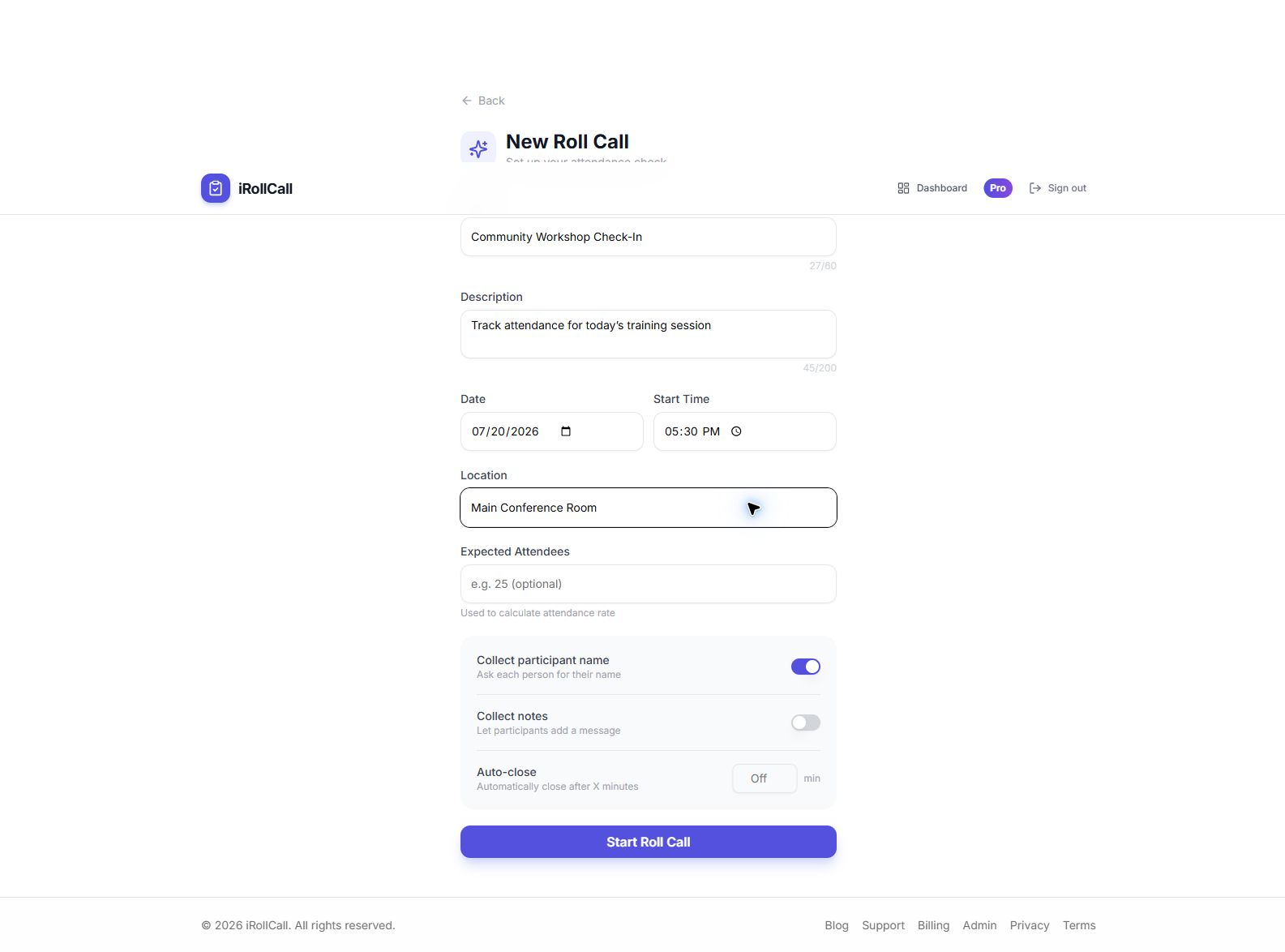
Most software requires hours of setup: configuring permissions, importing user lists, setting up integrations, customizing workflows. iRollCall has zero setup. Create an account, click "New Roll Call," add a title, and you're done. We intentionally skipped all the configuration steps that slow you down.
2. No Training Needed
If your software requires training, it's too complex. iRollCall is intuitive enough that you'll understand it the moment you see it. Create a roll call, share the code, done. Your participants will figure out how to check in without instructions—because there's literally only one button to press.
3. No Integrations to Configure
Enterprise attendance systems force you to integrate with your LMS, SIS, HR system, and calendar. Each integration adds complexity and failure points. iRollCall works standalone—you don't need to connect anything. When you do need to export data, it's a simple CSV download that works with any system.
4. No Participant Onboarding
Complex attendance systems require everyone to create accounts, download apps, and go through onboarding. With iRollCall, participants check in without any setup. Share a code, they enter their name, they're checked in. Zero onboarding friction.
Core Features (The Simple Ones That Matter)
Create Roll Calls in Seconds
Add a title, optional date and location. That's it. No forms with 20 fields to fill out.
One-Tap Check-In
Participants enter their name and tap "Check In." It takes 5 seconds.
Real-Time Attendance
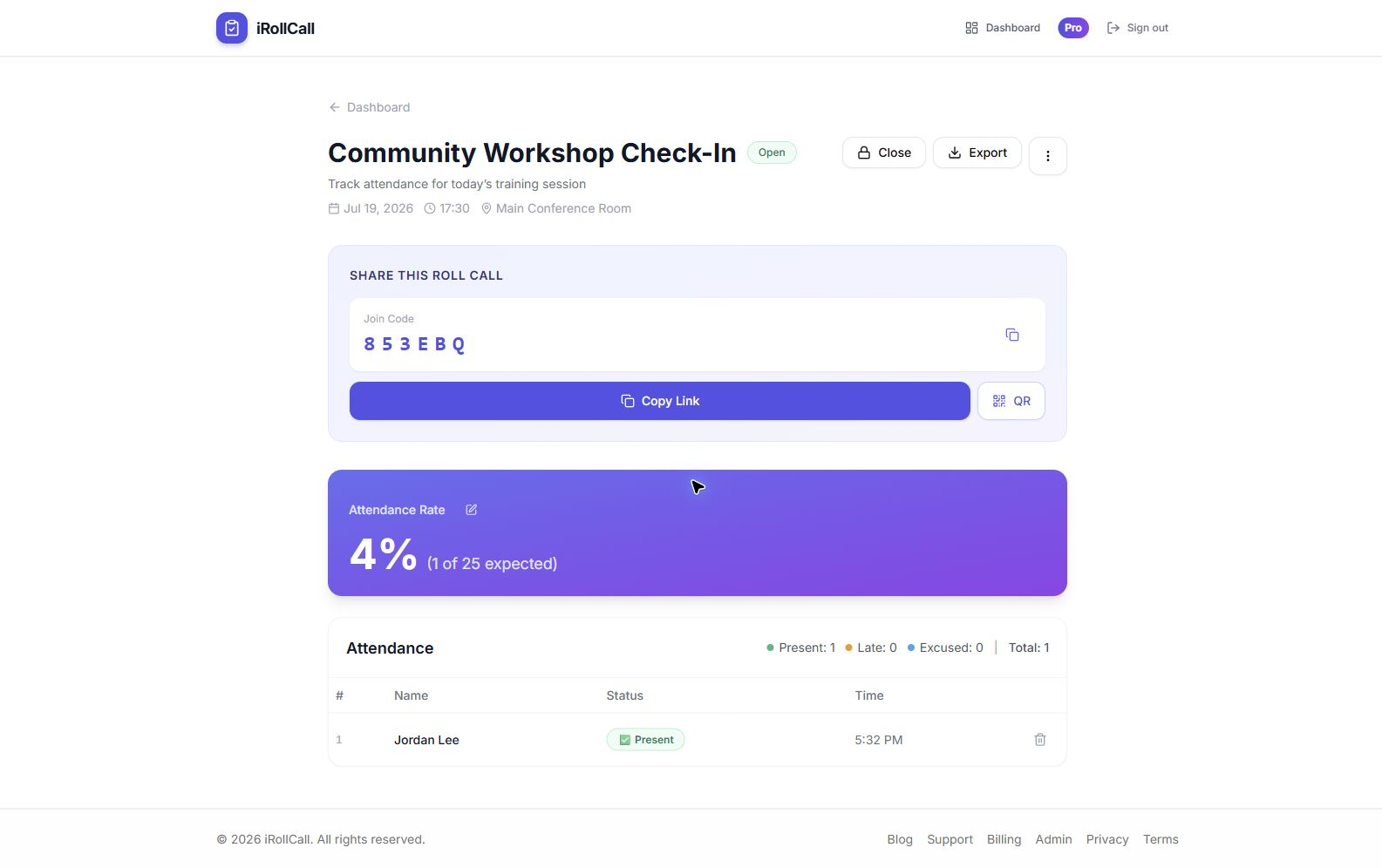
See who's checked in as it happens. No refresh needed.
One-Click Export
Download attendance as CSV. Import into Excel or any other system.
Who Uses Simple Attendance Software?
Teachers Who Don't Have Time for Complexity
Teachers already juggle lesson planning, grading, and classroom management. They don't have time to learn complex software. iRollCall gives them a tool that works immediately and doesn't require IT support. Display a code, students check in, move on with the lesson.
Event Organizers Who Need Fast Setup
When you're running an event, you need attendance tracking that works now—not after a week of configuration. Create a roll call 5 minutes before your event starts, place QR codes at the entrance, and you're tracking attendance. No IT involvement needed.
Small Teams and Startups
Small organizations don't have dedicated IT staff to manage complex systems. They need tools that "just work." iRollCall requires zero maintenance, zero updates, and zero ongoing management. Set it up once, use it forever.
Anyone Who Values Their Time
If you believe software should save time rather than consume it, you'll love iRollCall. We respect your time by keeping everything simple, fast, and focused on what matters.
Features We Intentionally Skipped
To keep iRollCall simple, we deliberately left out features that add complexity without proportional value:
- Enterprise permission administration: Pro owners can share a roll call and its attached roster using three clear roles—Viewer, Attendance Manager, or Editor—without the complexity of custom enterprise permission builders.
- Custom branding everywhere: Pro users can remove iRollCall branding from participant check-in pages, but printable QR signs stay iRollCall-branded and we don't support full visual customization.
- Built-in messaging: Use email or your existing communication tools. We won't build a mediocre messaging system.
- Advanced scheduling rules: Pro users get recurring schedules with simple patterns. We don't support "every third Thursday except holidays."
- Deep analytics: We show you who checked in and when. We don't generate 50 different chart types you'll never look at.
This isn't because we're lazy—it's because every feature you add makes software harder to use. We'd rather be the simplest tool that solves your core problem than the "most comprehensive" tool that solves problems you don't have.
Pricing (Simple, Too)
Free: 3 roll calls every 30 days and up to 50 check-ins per roll call. It is designed for small classes, meetings, volunteer groups, and events.
Pro ($12/month): Unlimited roll calls and check-ins, saved rosters with participant check-off, role-based sharing with other Pro organizers, recurring schedules, advanced reports, direct Google Sheets export, participant blocking, and no iRollCall branding on participant check-in pages.
No hidden fees. Each organizer chooses Free or Pro for their own account. Just two simple plans.
What Simple Attendance Looks Like in Practice
For the organizer
Create one session, display its QR or code, and follow names and timestamps from a single live results screen.
For participants
Open the shared link, enter a name, choose the attendance status, and check in—without creating an account.
Experience Simple Attendance Software
See how fast and easy attendance tracking can be.
Frequently Asked Questions
Is iRollCall really this simple, or am I missing something?
It really is this simple. We've intentionally built a focused tool that does one thing well. The "catch" is that if you need complex enterprise features like LDAP integration or custom workflow builders, this isn't the right tool for you. But if you just need to track attendance quickly and easily, it's perfect.
Can I try it without creating an account?
Creating an account takes 15 seconds and is free. We need that to store your roll calls securely. But once you create an account, you can set up your first roll call immediately.
What if I need a feature you don't have?
Email us! We're constantly evaluating feature requests. If something would make the product better without adding complexity, we'll consider it. But we're committed to staying simple, so we won't add features that benefit 1% of users at the expense of the other 99%.
How is iRollCall different from Google Forms or sign-in sheets?
Google Forms requires creating a new form for each event and sharing complex URLs. Sign-in sheets are slow and create bottlenecks. iRollCall is purpose-built for quick check-in with unique codes that are easy to share and remember.