The Simplest Way to
Track Attendance
Share a link, let people check in with one tap. No signups for participants. It's that simple.
Have a code? Join a roll call
How It Works
Simple attendance tracking with no participant signups required.
Instant Setup
Create a roll call in under 10 seconds
One-Tap Check-in
Participants mark attendance with a single tap
Live Results & Export
Download CSV on Free, or export directly to Google Sheets with Pro
A simple check-in on any device.
Participants usually check in from their phone: open your link or scan the QR code, enter their name, and tap a status. Organizers can manage attendance from a phone, tablet, or computer.
- No participant account or app download
- Name plus Present, Late, or Excused in one view
- Free CSV export, plus direct Google Sheets export with Pro
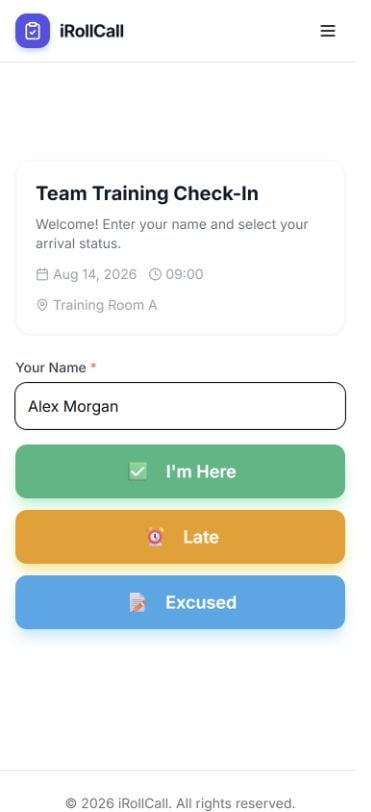
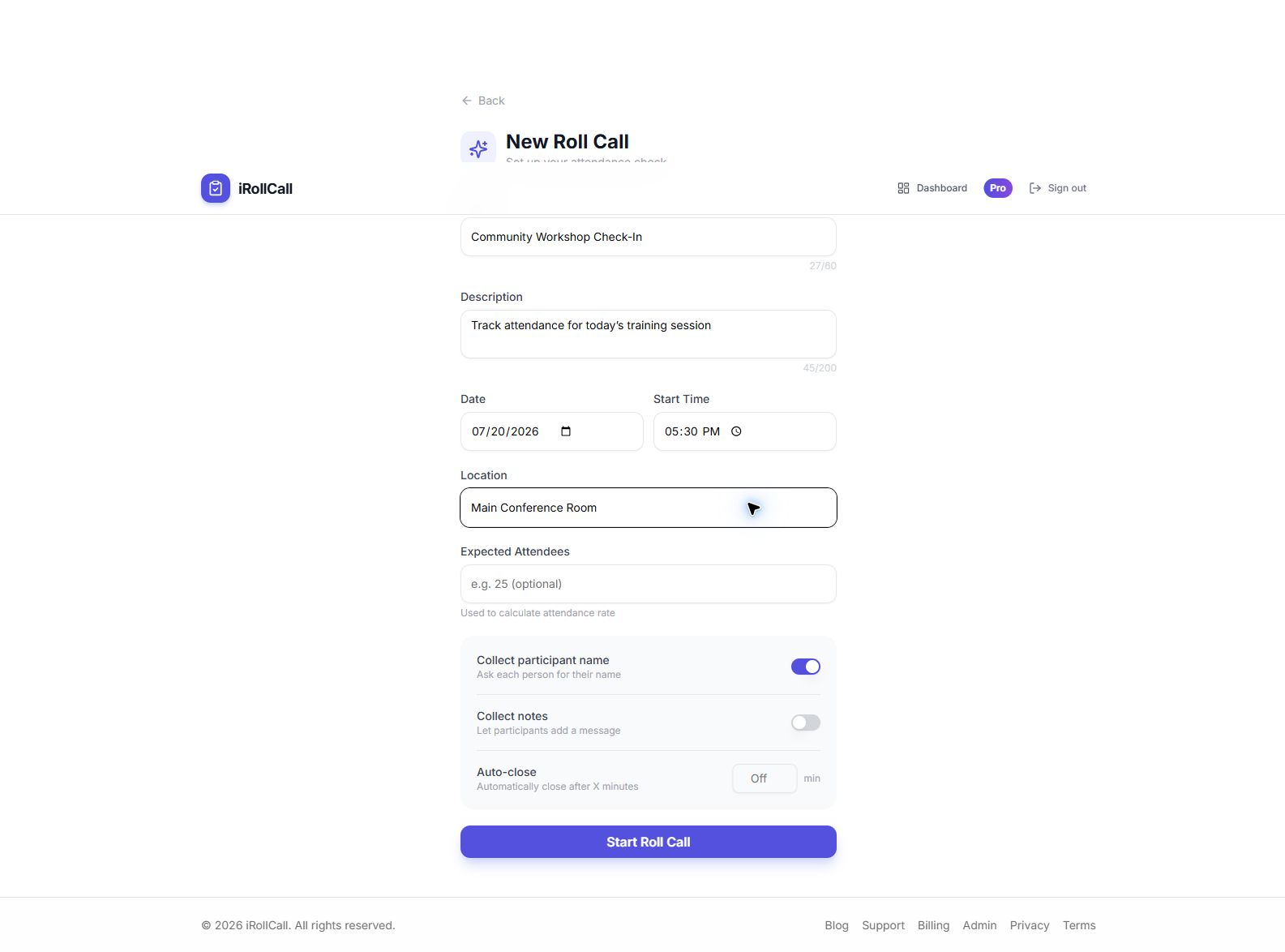
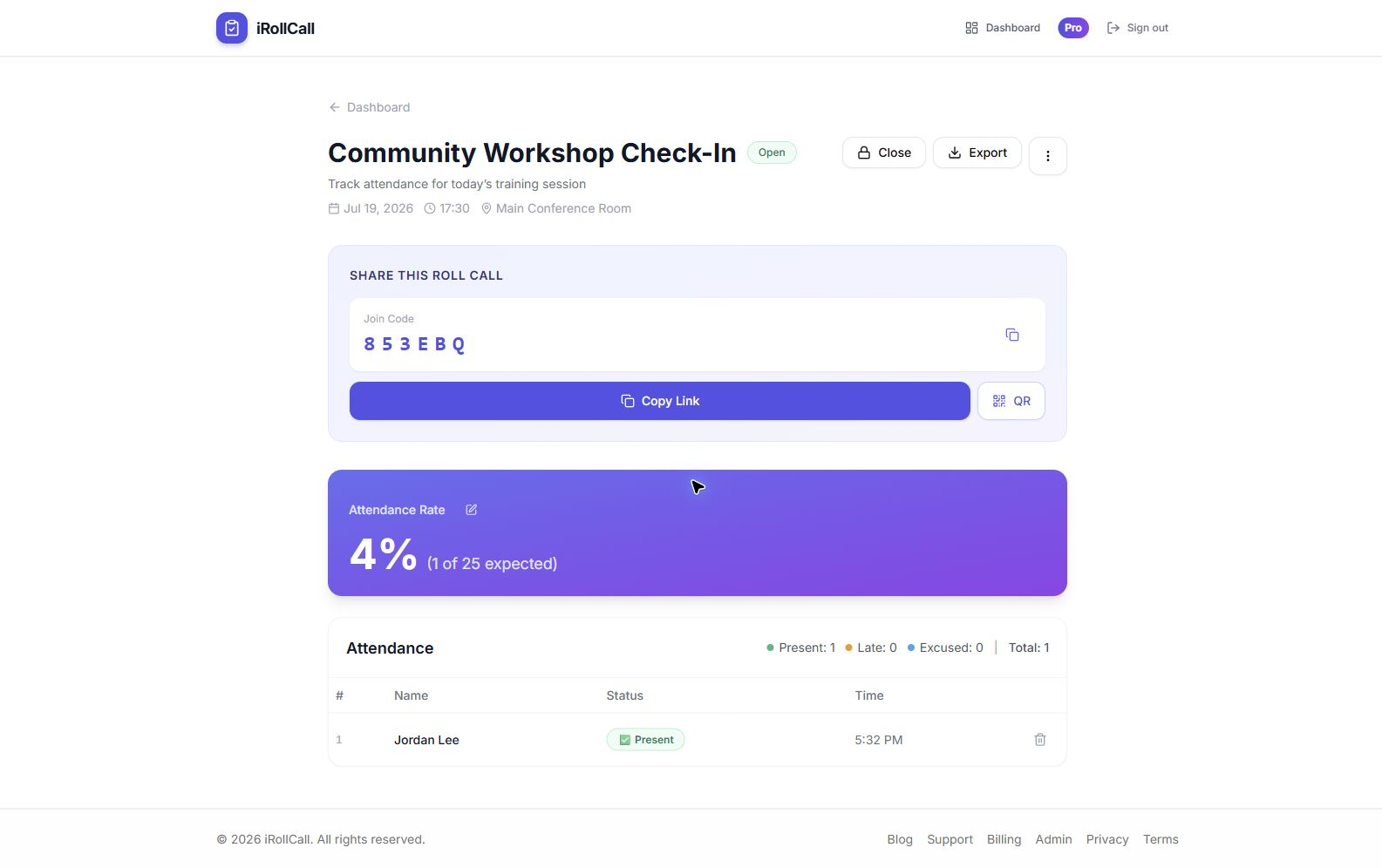
Real iRollCall product screens
See the organizer side, too
Create the session, share one code, and watch attendance update live. Download CSV on any plan, or export directly to Google Sheets with Pro.
Attendance resources
Choose the check-in workflow that fits your group
Explore practical product guides and step-by-step attendance advice for events, classes, teams, and recurring groups.
Free roll call app
QR and short-code check-in on phones, tablets, and computers.
Learn moreEvent attendance tracking
Run faster attendee check-in and follow live results.
Learn moreAttendance without login
See how participants check in without creating accounts.
Learn moreGoogle Sheets attendance export
Compare free CSV download with direct Pro export.
Learn moreQR codes vs. manual roll call
Choose the right check-in method for your next session.
Learn moreLarge-event attendance guide
Plan entrances, signage, and a smoother arrival flow.
Learn moreAttendance policy best practices
Set clear rules and apply them consistently.
Learn moreNo-login attendance guide
Reduce check-in friction without participant accounts.
Learn moreWhy Choose iRollCall?
✅ No Participant Accounts
People check in with just their name—no signups, no passwords to forget.
📱 QR Code Check-In
Display a QR code—participants scan and check in instantly from any device.
⏱️ Check-In and Check-Out Tracking
See attendance live, track who is currently onsite, record departures, and calculate attendance duration with Pro.
🔄 Recurring Schedules
Auto-generate roll calls for classes or meetings with Pro. Educators can also track each student across a semester with a saved roster and at least two sessions in a course series.
Secure Stripe payments
No participant accounts
Cancel anytime
Meetings & classrooms
Frequently Asked Questions
What is roll call software?
Roll call software is a digital tool that lets organizers take attendance quickly by having participants check in via a link, code, or QR code. iRollCall is free roll call software that works on any device — no app download required.
What is the best roll call app for schools?
iRollCall is one of the simplest roll call apps for schools. Teachers share a 6-character code, students open irollcall.com on any device, enter their name, and check in. No student accounts needed.
How does roll call attendance work with iRollCall?
Create a roll call session, share the code or QR, and participants mark themselves as Present, Late, or Excused. You see real-time results in your dashboard and can export the attendance record.
Can I export attendance records?
Yes. CSV export is included on the Free plan. Pro adds one-click export directly to Google Sheets.
Can multiple organizers manage the same roll call?
Yes. With Pro, the owner can share a roll call and its attached roster with another Pro organizer as a Viewer, Attendance Manager, or Editor. The owner keeps control of ownership, billing, deletion, and sharing.
Is there a free roll call application?
Yes — iRollCall has a free plan that supports up to 3 roll calls every 30 days with up to 50 check-ins per roll call. No credit card required to get started.
Can I use iRollCall for meetings?
Absolutely. iRollCall works great for roll call in meetings, team standups, training sessions, and any event where you need to track who attended.
Does iRollCall work as a roll call system for events?
Yes. Event organizers use iRollCall to track attendance at conferences, workshops, church gatherings, and community events. Participants self-check-in — no staff required at the door.
Perfect For
Teachers & Professors
Take classroom roll call in under 60 seconds. Students check in without accounts.
Event Organizers
Track attendance for conferences, workshops, and meetups with self-service check-in.
Teams & Meetings
Record attendance for team meetings, trainings, and corporate events.
Churches & Ministries
Track attendance for services, small groups, and events without asking members to sign in.
Coaches & Teams
Take roll at practice in seconds, right from the sideline, no roster app required.
Fitness & Studios
Check members into classes with a QR code at the door — no front-desk scanner needed.
Volunteer Programs
Track shifts, drives, and events without asking volunteers to make an account.
Clubs & Associations
Track meeting attendance for HOAs, support groups, and community clubs.
Training & Compliance
Timestamped attendance records for required training and certification.