Why Attendance Systems Require Logins (And Why That's a Problem)
Traditional attendance software requires participants to create accounts because it solves a technical problem: how to uniquely identify people across multiple sessions. But this "solution" creates massive friction for users:
- Setup time: People must stop what they're doing to create an account, confirm email addresses, and set passwords.
- Support burden: "I forgot my password," "I never got the confirmation email," "My account is locked"—you become tech support.
- Participation barriers: Some people simply won't check in if it requires creating yet another account.
- Privacy concerns: Requiring email addresses and accounts makes people uncomfortable sharing personal information.
The result? Lower participation, wasted time, and frustrated users. There has to be a better way.
How iRollCall Enables Attendance Without Login
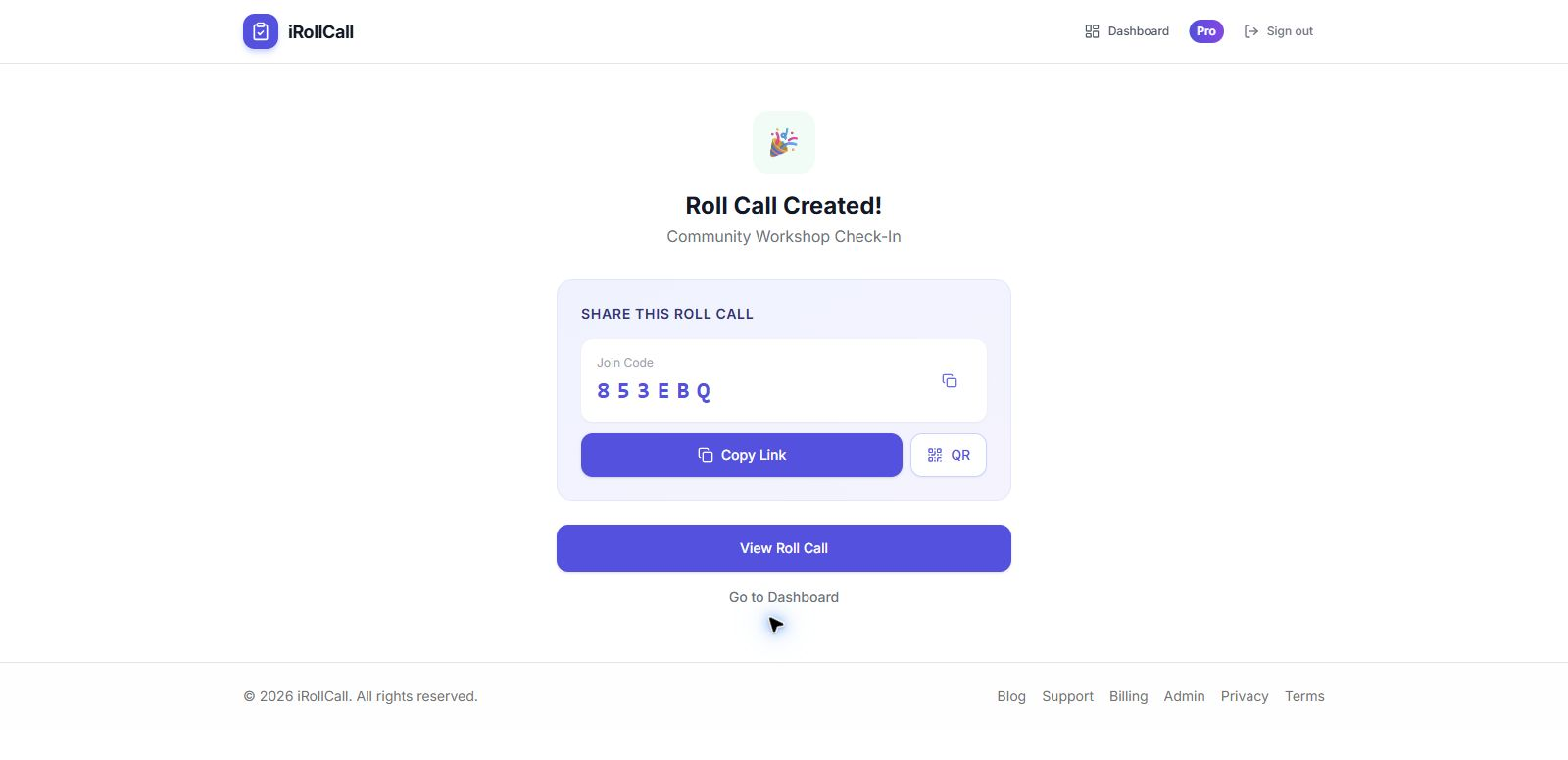
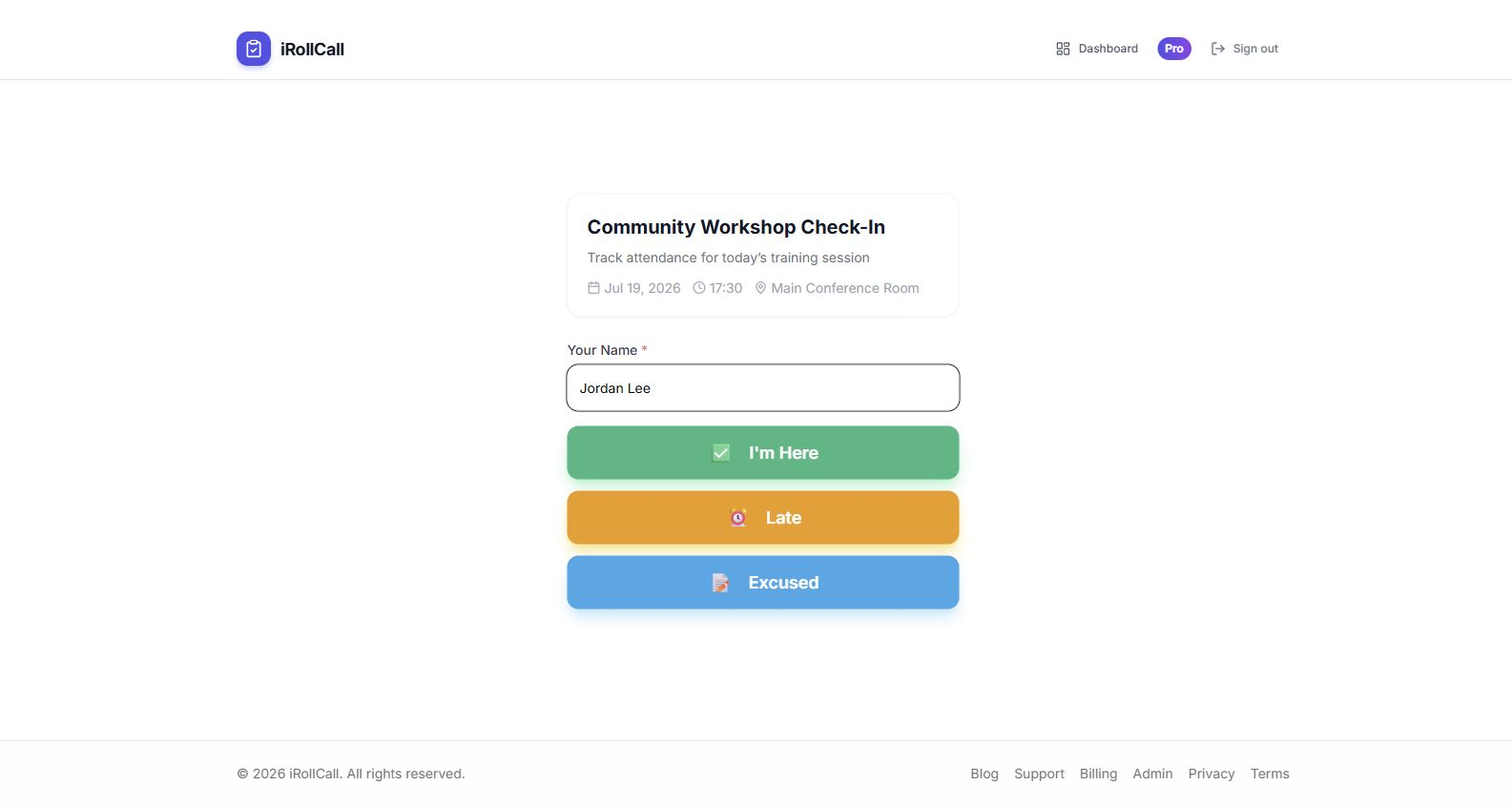
iRollCall flips the model. Only the organizer (you) needs an account. Participants simply enter their name and check in—no login, no password, no account creation. Here's how it works:
- 1You create the roll call:
Sign in to your iRollCall account and create a new roll call in seconds.
- 2Share the code or link:
Display a QR code or share a simple join link with your group.
- 3Participants open the link:
They tap the link or scan the code—takes them directly to the check-in page.
- 4They enter their name and check in:
Type name, tap "Check In." That's it. No login screen, no account creation.
- 5Attendance is recorded:
You see their check-in instantly in your dashboard. All done.
Benefits of Login-Free Attendance
Instant Participation
When people don't need to create accounts, they check in immediately. No delays, no excuses. This is especially important for one-time events, guest speakers, or situations where participants don't want to commit to creating yet another account.
Zero Tech Support
Eliminate "I forgot my password" emails. No locked accounts. No confirmation email issues. Participants simply check in and move on. You spend zero time on attendance-related support.
Higher Participation Rates
Every barrier you remove increases participation. Studies show that requiring account creation can reduce completion rates by 20-30%. By eliminating this step, more people actually check in.
Better Privacy
Participants don't need to share email addresses or personal information unless you specifically request it. This respects their privacy and reduces data collection overhead for you.
Common Questions About Login-Free Attendance
"What if someone checks in with a fake name?"
This is a valid concern, but in practice, it's rarely an issue. Most people checking in are doing so in good faith. For environments where accountability matters (like classrooms), you can:
- Display the real-time attendance list on screen so people see you're monitoring check-ins
- Use Pro features to block repeat offenders by device fingerprint
- Manually review and edit attendance if someone enters a joke name
Most users find that the 99% who check in honestly far outweigh the occasional troublemaker, and the time saved is worth the tradeoff.
"How do you prevent duplicate check-ins?"
iRollCall uses browser fingerprinting to detect when the same device tries to check in multiple times. We show a message like "You've already checked in" and prevent duplicate entries. This works even without login credentials.
"Can I still collect email addresses if I need them?"
Yes. You can optionally add custom fields to collect email, phone number, or other information. The difference is you're asking for it only when needed, not forcing everyone to create an account upfront.
Perfect Use Cases for Login-Free Attendance
One-Time Events
Conferences, workshops, meetups—attendees check in without creating accounts they'll never use again.
Guest Speakers and Webinars
External participants join without the hassle of creating accounts in your system.
Casual Classes and Groups
Yoga classes, book clubs, community meetings—where formal accounts feel like overkill.
High School and College
Students check in quickly without managing yet another username and password.
How It Compares to Other Solutions
| Feature | iRollCall | Traditional Platforms |
|---|---|---|
| Participant Accounts | Not required | Required |
| Setup Time | 5 seconds | 5+ minutes per person |
| Password Recovery | Not needed | Frequent issue |
| Check-In Speed | Under 10 seconds | 30+ seconds (after login) |
| Privacy | Minimal data collection | Email + profile required |
Getting Started with Login-Free Attendance
Ready to ditch the login screens and account creation headaches? Here's how to start:
- Create your free iRollCall organizer account
- Set up your first roll call (takes under 10 seconds)
- Share the QR code or link with participants
- Watch them check in instantly—no accounts required
Experience the Simplicity of Login-Free Attendance
Join thousands who've already made the switch to frictionless check-in.
Frequently Asked Questions
Do I need an account as the organizer?
Yes, you'll need a free iRollCall account to create and manage roll calls. But your participants don't need accounts—that's the key difference.
Is login-free attendance less secure?
Not necessarily. We use browser fingerprinting to prevent duplicate check-ins, and you control who can access your roll call via unique codes. For most use cases, this is more than sufficient.
Can I add login requirements later if needed?
iRollCall is designed for login-free check-in, which is our core philosophy. If you need user accounts and profiles, traditional platforms might be a better fit.
What information do participants need to provide?
By default, just their name. You can optionally add custom fields if you need email, phone, or other details.