What is a Roll Call App?
A roll call app is software that helps you track attendance quickly and efficiently. Instead of calling out names and waiting for responses, or passing around a sign-in sheet, a modern roll call app lets participants mark themselves present with a simple tap on their phone.
iRollCall takes this concept and makes it even simpler: no app downloads, no account creation, no learning curve. You create a roll call in seconds, share a code or link, and people check in from any web browser. It's the fastest way to track who's present without interrupting your class, meeting, or event.
Why iRollCall is Different
No Downloads Required
Most roll call apps force participants to download software from the App Store or Google Play. This creates friction: students forget to download it, phones run out of storage, compatibility issues arise, and you spend class time troubleshooting instead of teaching.
iRollCall is web-based. Participants simply open a link in their browser—Safari, Chrome, Firefox, whatever they use. It works on iPhones, Android phones, tablets, laptops, and desktops. No downloads, no updates, no device restrictions.
Using iRollCall on an iPhone
Open the organizer dashboard or a participant check-in link in Safari. There is nothing to install, and the same roll call works for people joining from Android phones or computers.
For quicker access, iPhone users can use Safari's Add to Home Screen option to place an iRollCall shortcut beside their other apps.
No Participant Accounts
Traditional attendance systems require participants to create accounts, remember passwords, and manage profiles. This wastes time and creates support headaches. "I forgot my password," "I can't log in," "The app won't recognize my email"—you've heard it all.
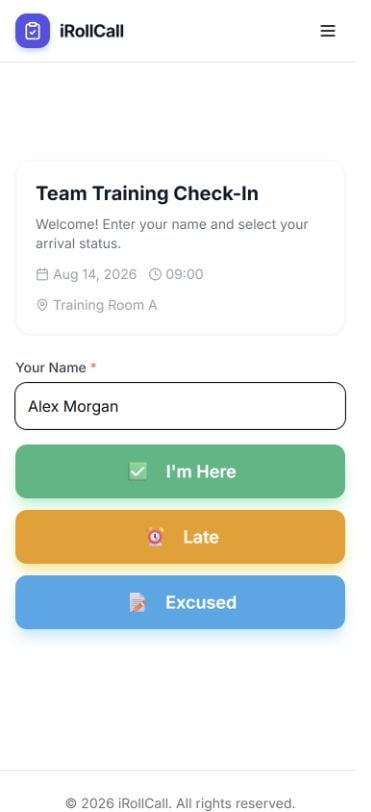
With iRollCall, participants enter their name and check in. That's it. No passwords, no profiles, no forgotten usernames. They check in once, and you're done. This simplicity means higher participation rates and less frustration for everyone.
Works on Any Device
Because iRollCall is web-based, it works on any device with a browser. Students with old Android phones, colleagues with company-issued iPhones, attendees with tablets—everyone can check in. You don't need to worry about platform compatibility or device requirements.
How to Use the Roll Call App
Step-by-Step Guide
- 1Sign in to iRollCall:
Create a free account in seconds. No credit card required.
- 2Create a roll call:
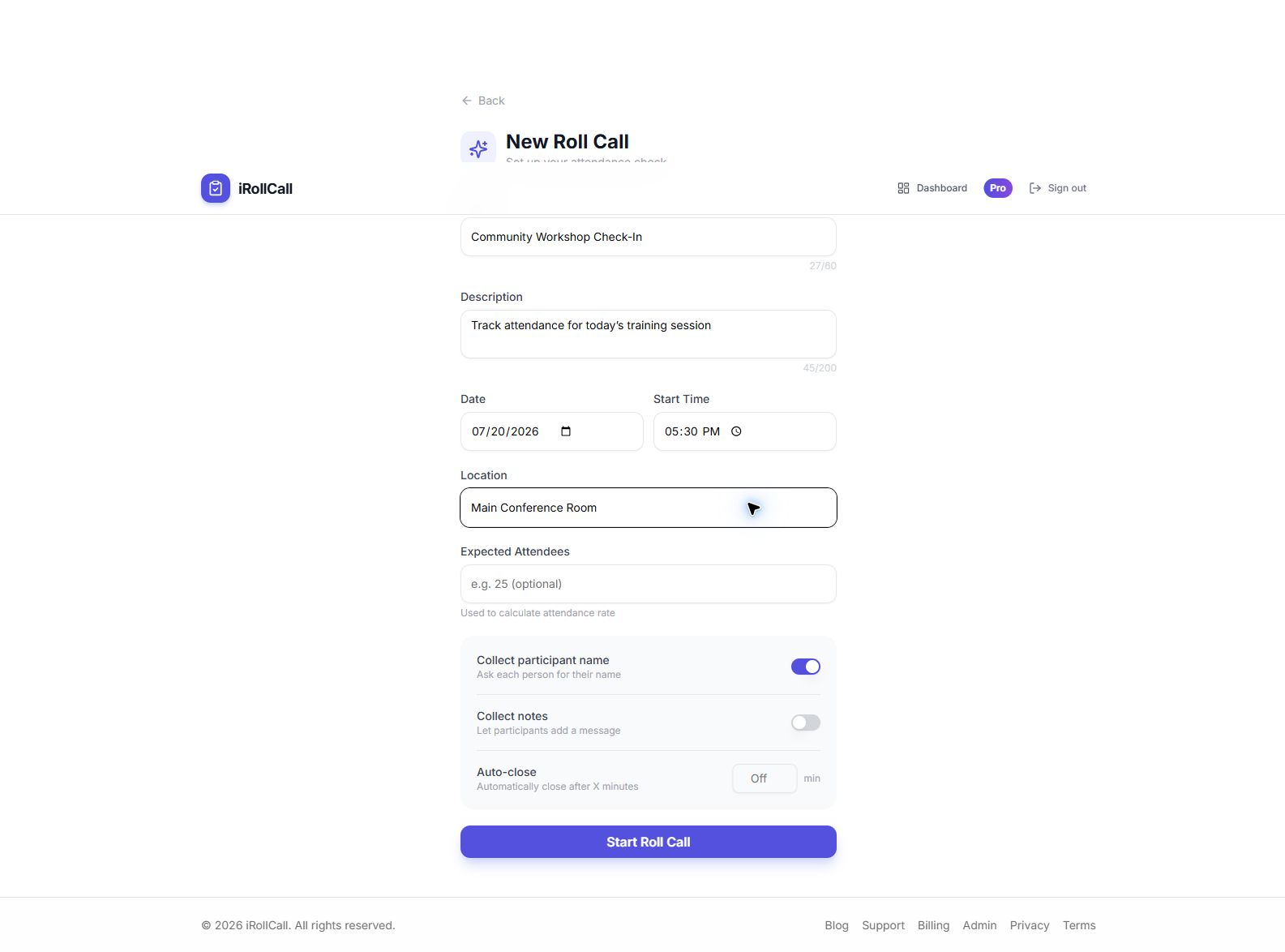
Add a title like "Math 101 - Monday" and any optional details (date, location).
- 3Share the code:
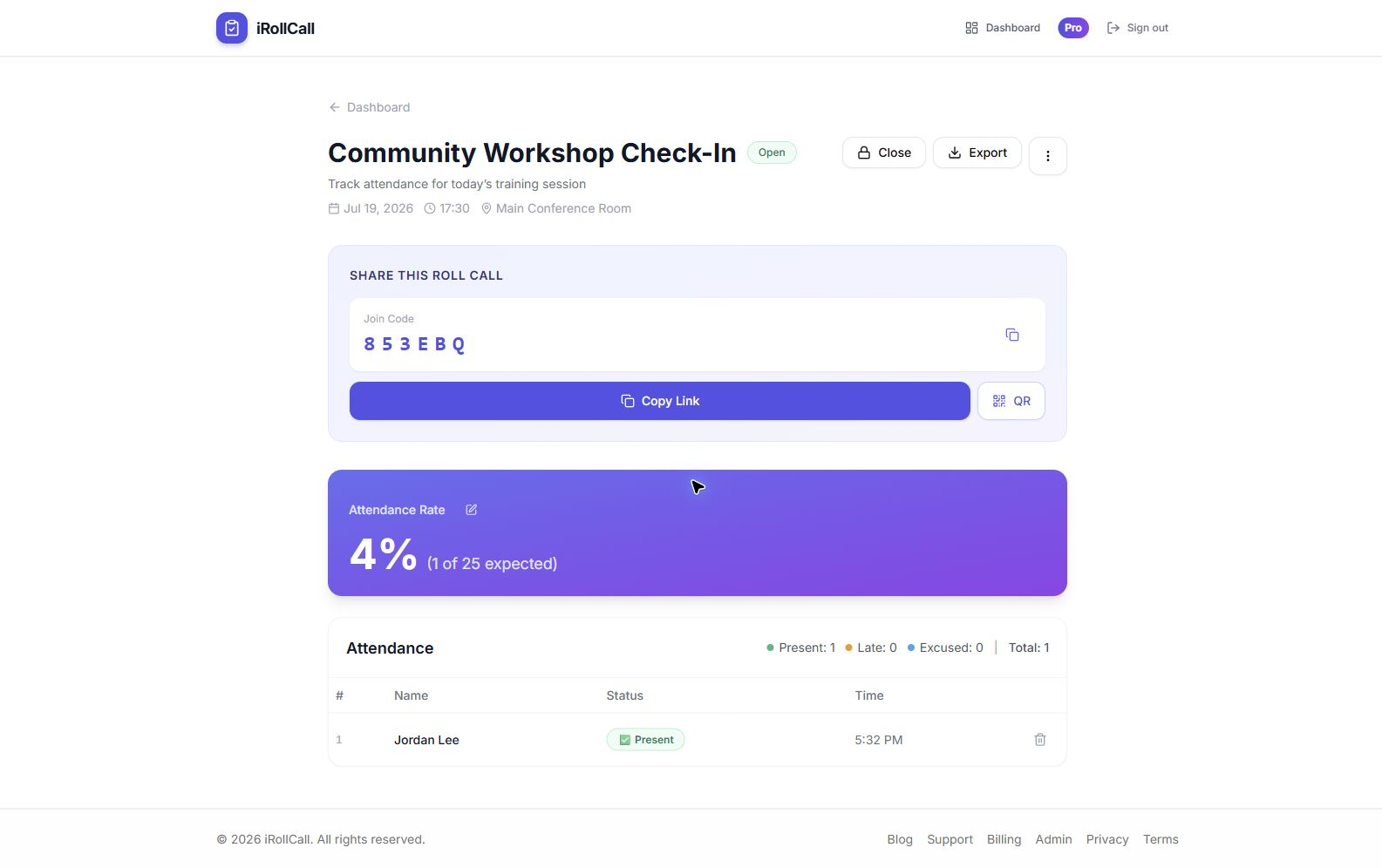
Display the 6-character code or QR code on your screen, or share the link via email or chat.
- 4Participants check in:
They enter the code or scan the QR code, type their name, and tap "Check In."
- 5View results:
See who's present in real-time or review the complete list later. Download CSV on any plan, or send it directly to Google Sheets with Pro.
Common Use Cases
Teachers and Professors
Project the code on your classroom screen. Students check in as they arrive. No more calling names and waiting for responses—just start teaching.
Event Organizers
Place QR codes at event entrances. Attendees self-check-in without registration desk lines. Track who showed up vs. who just registered.
Meeting Hosts
Share the check-in link in your Zoom chat or calendar invite. Track participation for team meetings, town halls, or trainings.
Volunteer Coordinators
Record attendance at volunteer events and community activities. Generate reports for grants and compliance.
Benefits of Using a Roll Call App
Save Time
Traditional roll call takes 5-10 minutes. With iRollCall, everyone checks in within 60 seconds.
Accurate Records
Every check-in is timestamped, stored securely, and exportable as a complete CSV attendance list.
Access Anywhere
Your attendance data is stored in the cloud. Review it from your phone, tablet, or computer.
Mobile-Friendly
Works perfectly on smartphones. Participants check in from the devices they already carry.
Roll Call App vs. Traditional Methods
| Feature | iRollCall | Verbal Roll Call | Paper Sign-In |
|---|---|---|---|
| Time Required | ~60 seconds | 5-10 minutes | 2-5 minutes |
| Accuracy | Automated | Human error | Illegible writing |
| Timestamp | Automatic | Manual | None |
| Data Export | Free CSV; Pro Google Sheets | Manual entry | Manual entry |
| Organizer collaboration | Pro: role-based sharing | No | No |
| Contactless | Yes | Yes | No |
Pricing
Start with our free plan: 3 roll calls every 30 days and up to 50 check-ins per roll call. Perfect for small classes, meetings, and events.
Need more? Upgrade to Pro for $12/month and get unlimited roll calls and check-ins, saved-roster check-off, role-based sharing with other Pro organizers, recurring schedules, advanced reports, one-click Google Sheets export, and priority support.
Ready to Simplify Roll Call?
Create your first roll call in under a minute. No credit card required.
Frequently Asked Questions
Is iRollCall really free?
Yes. Our free plan supports 3 roll calls every 30 days and 50 check-ins per roll call. No credit card required. Upgrade to Pro only if you need more.
Do participants need to download anything?
No. iRollCall is web-based. Participants check in through their browser—no app downloads required.
Can I use iRollCall on my phone?
Yes. iRollCall works on any device with a web browser—phones, tablets, laptops, and desktops.
How secure is my attendance data?
Organizer dashboards require sign-in, while participants use the shared join link or code only for check-in. Keep join details within the group you intend to attend.
Can I export attendance records?
Yes. CSV download is included on the Free plan and opens in Excel or Google Sheets. Pro also exports directly to a new Google Sheet with one click. See the complete Google Sheets export workflow.
← Back to Home | Event Attendance Tracking Software | Attendance Without Login | Simple Attendance Software | Church Attendance Tracker | Coach Attendance Tracker | Fitness Class Attendance | Volunteer Attendance Tracker | Community Group Attendance | Training Attendance Tracker | Google Sheets Attendance Export